


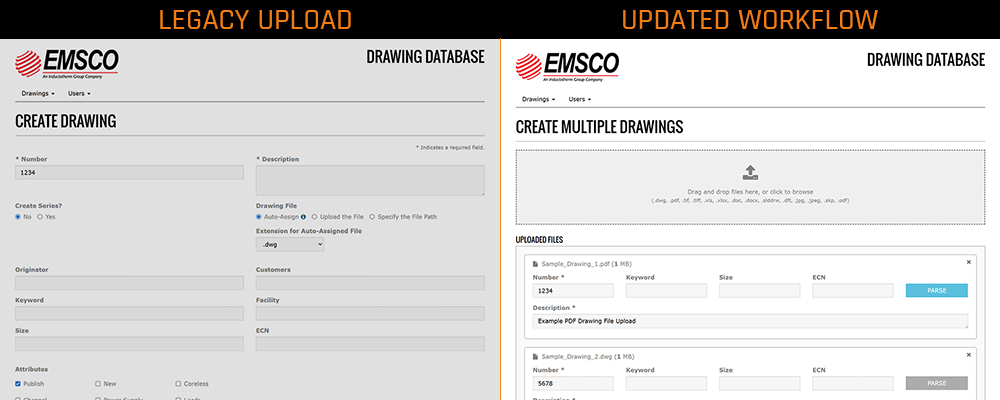
Managing technical drawings at scale introduces challenges in workflow efficiency, data accuracy, and revision control. Sanctuary Software Studio enhanced EMSCO’s drawing database system to address these challenges by improving the tooling and integrating AI-assisted CAD document processing.
The Challenge
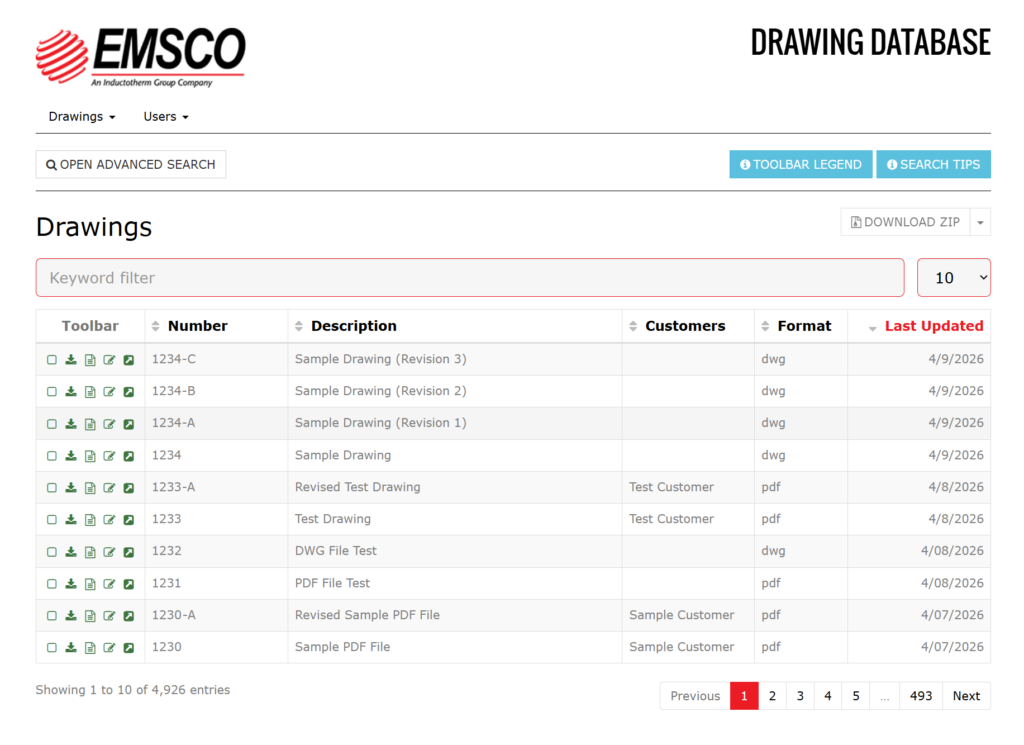
The existing system supported core functionality, but several workflows required manual effort that did not scale. Uploading multiple drawings required individual file submissions. Users often repeated metadata entry across related files. Prior to upload, users manually searched the system to determine whether a drawing already existed or to identify the correct revision sequence. Drawing interaction was also limited. Users relied on external tools to view, measure, and print drawing files.
The Solution
The updated system introduces several enhancements to streamline workflows and reduce manual overhead.
Multi-File Upload Workflow
A new upload interface allows users to submit multiple drawing files in a single action. Shared metadata applies across all uploaded files, reducing redundant data entry, and improving consistency across related records.
AI-Assisted CAD Data Extraction with Parseur
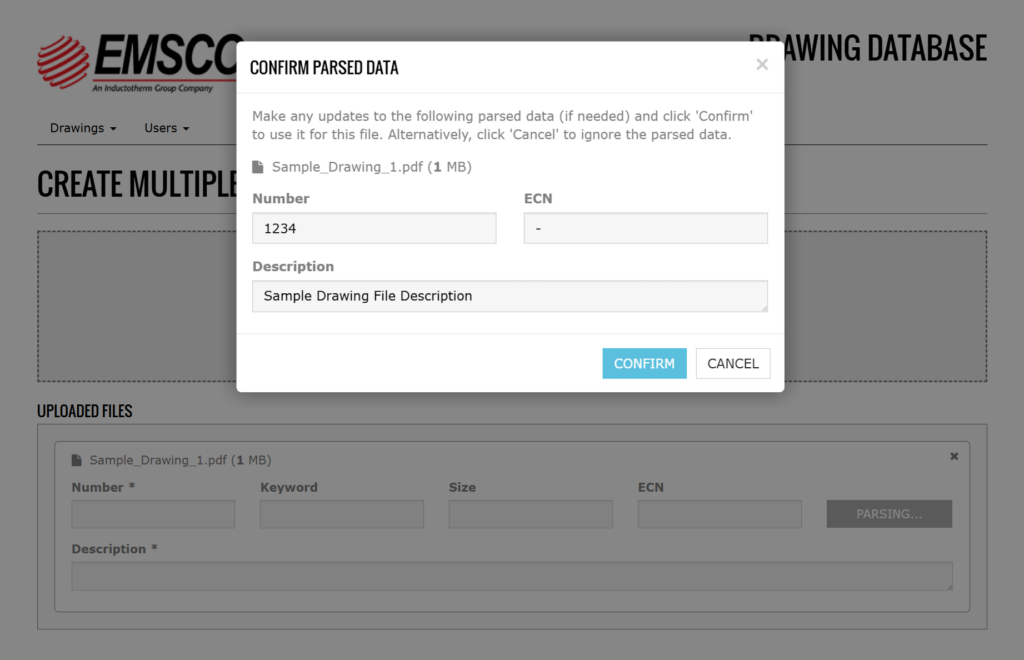
Integrated Parseur API to support AI-based document parsing. When supported files get uploaded, Parseur analyzes the document structure and extracts key fields such as drawing number, description, and ECN. Subsequently , the values returned to the application automatically populate the upload form, where users review and confirm the data before submission. This approach reduces manual entry by shifting the workflow to AI-assisted validation.
Duplicate Detection and Resolution
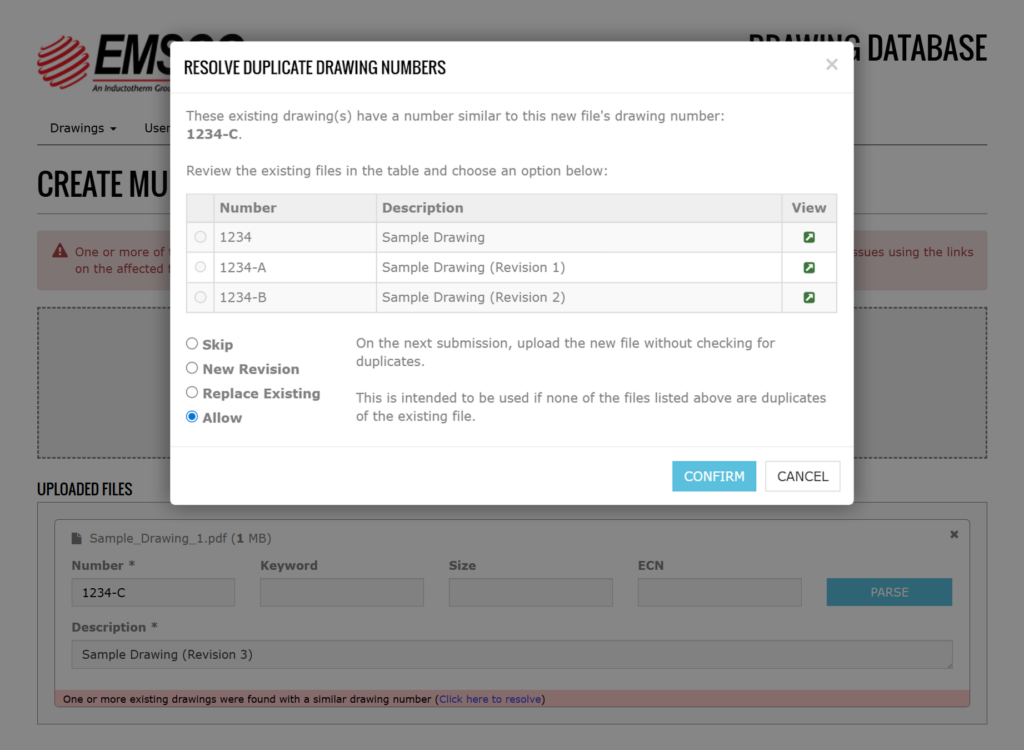
The system performs validation during upload to identify existing drawings with similar drawing numbers. When potential duplicates are detected, users are presented with structured resolution options. These include creating a new revision, replacing an existing file, skipping the upload, or bypassing duplicate validation when appropriate. Hence, the system removed the need for manual record searches and supports consistent data management.
Integrated CAD Viewing
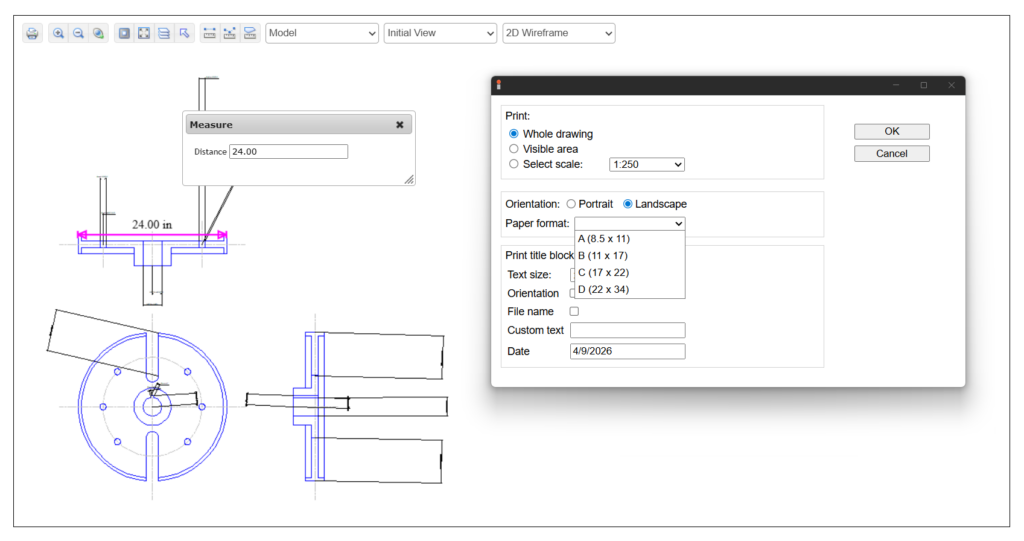
The application includes an integrated drawing viewer powered by the WebCadSDK from CadSoftTools. This integration enables users to view compatible drawing files directly in the browser and perform actions such as measuring and printing. Measurement tools include distance, polyline, and area calculations, and the viewer supports configurable print outputs. By embedding these capabilities within the application, users can complete key tasks without relying on external software.
The Impact
Users can upload multiple files in a single action, leverage AI-assisted parsing to reduce manual entry, and resolve duplicate conflicts through guided workflows. Integrated viewing and measurement tools support interaction with drawing files directly within the application. The result is a system that supports more efficient workflows, reduces redundant data entry, and improves data consistency across drawing records.